
Mac configuration for UCP VPN
Mac configuration for UCP VPN
1. Execute the UCP.mobileconfig file.
2. Install the ‘UCP-VPN’ profile.

3. Confirm installation of the VPN profile:

4. Username (optional at this stage).

5. Put in the admin credentials of the respective laptop to install the profile.

6. Installation completed. The UCP-VPN profile is already configured in SYSTEM PREFERENCES | PROFILES.

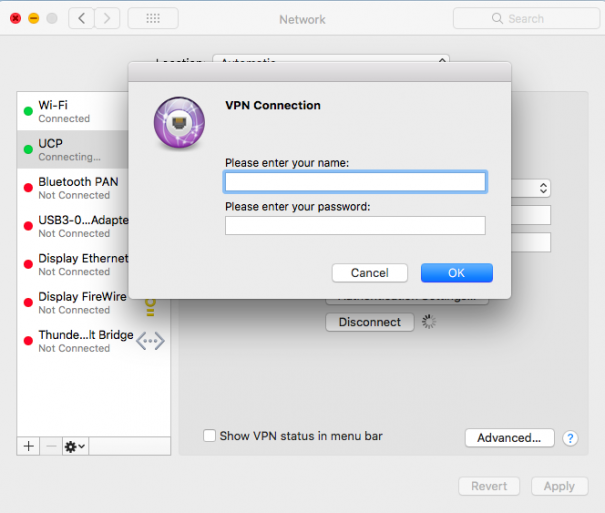
7. Access to the VPN - Enter your access credentials.